
Top 5 Gaming Mice Under $30
January 2, 2026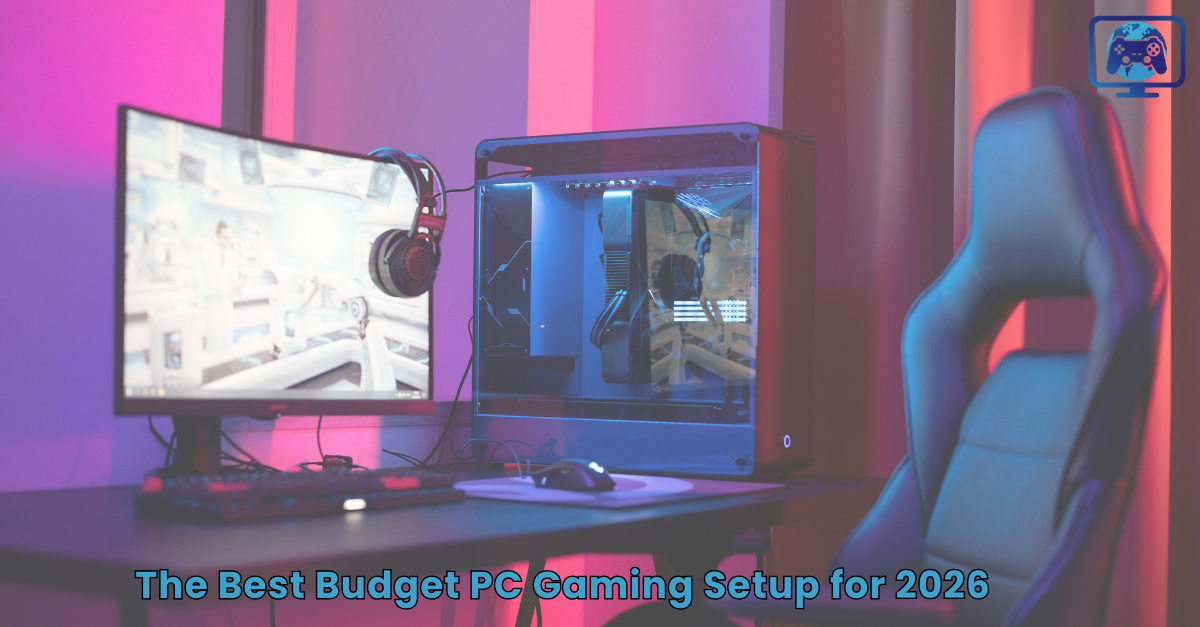
Welcome to the exciting world of PC gaming! If you are here, you probably want to play cool games like Fortnite, Minecraft, or Roblox, but you don’t want to spend all your birthday money in one place. Guess what? You don’t need a million dollars to have a great gaming computer.
In 2026, technology has become so good that even “budget” parts can play the newest games smoothly. This guide will help you pick the best parts for a “Budget PC Gaming Setup” that works great and looks even better. Whether you are looking for a desk setup or the best affordable gaming laptop, we have you covered.
1. The Brain of the Operation: Picking Your CPU
The CPU (Central Processing Unit) is like the brain of your computer. It tells every other part—like the graphics card and the memory—exactly what to do and when to do it. For a budget build in 2026, you want a brain that is fast but doesn’t get too hot or cost too much.
The AMD Ryzen 5 5600 or the Intel Core i3-14100F are currently the superstars of the budget world. These CPUs are amazing because they can handle gaming, schoolwork, and even having a few YouTube tabs open all at the same time without slowing down. Even if you are looking for the best gaming laptops of 2025 or 2026, they often use similar “brains” to keep things moving fast. Choosing the right CPU is the first step in making sure your computer doesn’t “lag” when the action gets intense.
2. The Graphics Muscle: Choosing the Best GPU
The GPU (Graphics Processing Unit) is the most important part for any gamer. If the CPU is the brain, the GPU is the muscle that draws every single frame you see on the screen. It makes the grass look green, the water look blue, and the explosions look bright.
To get the best Windows laptop for a gaming experience on a desktop, you should look for the Nvidia RTX 5060 or the AMD Radeon RX 7600. These cards are special because they use “AI” to help draw pictures even faster, which is great for new games. If you are searching for the best cheap gaming laptop, always check which GPU it has inside. A good GPU means you can play games on “High” settings instead of “Low,” making everything look much more realistic and exciting.
3. Remembering the Fun: RAM and Storage
Computers need two types of “memory” to work well. First is RAM, which is like your computer’s short-term memory. In 2026, you should have at least 16GB of RAM. This allows your computer to remember what is happening in your game while also running your chat apps or music in the background.
Second is Storage, specifically an SSD (Solid State Drive). In the past, computers used slow “Hard Drives” that made loading screens take forever. Now, we use NVMe SSDs. A 1TB SSD is the perfect size for a budget build. It holds about 10 to 15 big games and makes your computer turn on in less than 15 seconds. If you are hunting for black friday best gaming laptop deals, always check if it has at least a 512GB or 1TB SSD so you don’t run out of space for your favorite games like Valorant or Apex Legends.
4. Seeing the Action: The Perfect Monitor
A powerful PC is no fun if you don’t have a good screen to look at. For budget gamers, you don’t need a giant 4K TV. Instead, a 24-inch 1080p monitor is the “sweet spot.” It’s big enough to see everything clearly but small enough to fit on most desks.
The most important thing to look for is the refresh rate, measured in Hertz (Hz). You want a monitor that is at least 144Hz or 165Hz. This means the screen updates 144 times every second, making it look incredibly smooth. When you use a high-refresh monitor, it feels like you can see “into the future” compared to a slow 60Hz office monitor. Many best buy gaming laptops now come with these fast screens built in, which is why they are so popular for fast-paced games.
5. Laptops: High-Power Gaming on the Go
Not everyone wants a big desktop computer that stays in one place. If you want to play games in the living room, at your desk, or even at a friend’s house, you might want to look for the best affordable gaming laptop. Modern laptops like the MSI Katana 15 HX or the HP Victus 15 are great because they are “all-in-one” machines.
They include the screen, the keyboard, the mousepad, and all the computer parts in a slim design. These are often the best value for gaming laptop seekers because you don’t have to buy a separate monitor or keyboard. When looking for the best cheap gaming laptops, make sure to look for “cooling fans” on the back. Since laptops are small, they get hot, and good fans keep them running fast so your game doesn’t slow down during a big match.
Conclusion: Start Your Gaming Journey Today!
Building or buying your first “Budget PC Gaming Setup” is a huge milestone. Whether you choose a powerful desktop that you can upgrade later or search for the best affordable gaming laptop to take on the go, the goal is the same: to have fun and enjoy your favorite games.
By focusing on the “Big Three”: a fast CPU, a strong GPU, and plenty of RAM, you can ensure that your setup will handle the newest games of 2026 with ease. Don’t feel like you have to buy everything at once; you can start with the basics and add cool things like RGB lights or a better mouse later on.
For more tips on finding the best gaming laptop 2026 deals or hardware reviews, keep following GamingOneWorld. We are here to help you get the best gaming experience for the best price. Happy gaming!
Frequently Asked Questions (FAQs)
Q1. What is the best gaming laptop for a beginner?
Ans: The HP Victus 15 is a great choice because it is easy to use and usually very affordable. It has a nice screen and can play almost any popular game without getting too hot. It is a perfect “first step” into the world of PC gaming for students and younger players.
Q2. Can I use a budget gaming laptop for schoolwork, too?
Ans: Yes, absolutely! Most gaming laptops are actually better for school because they have fast processors and lots of memory. This means your research papers, video calls, and school projects will run very smoothly without any “lag” or freezing.
Q3. What brand of laptops are best for gaming?
Ans: In 2026, brands like ASUS (Republic of Gamers), Lenovo (Legion and LOQ), and MSI are at the top. They make everything from super-expensive machines to the best cheap gaming laptop options. They are well-known for making parts that are strong and last a long time.
Q4. How much should I spend on a budget gaming setup?
Ans: For a full desktop setup, aiming for around $700 to $800 is the best way to get quality parts. If you want a laptop, you can often find the best gaming laptop 2024 or 2025 models on sale for around $600 to $750, which is a great deal.
Q5. Is a 1080p monitor enough for gaming?
Ans: Yes, 1080p is still the standard for budget gaming and it looks very sharp on a 24-inch screen. It also helps your computer run games faster because the “muscle” (the GPU) doesn’t have to work as hard as it would for a 4K screen.
Q6. What is “refresh rate” on a monitor?
Ans: Refresh rate is how many times the screen draws a new picture every second. A 144Hz monitor draws 144 pictures a second, which makes the movement of your character feel much more fluid than a normal office screen or TV.
Q7. Do I need a special gaming mouse and keyboard?
Ans: While you can use a normal mouse, a gaming mouse has “fast sensors” that help you aim much better in shooting games. A mechanical keyboard also feels much nicer to type on and can help your fingers react faster during a game.
Q8. What is the “best affordable gaming laptop” right now?
Ans: The MSI Katana 15 HX is often called the best because it uses the new RTX 50-series graphics cards. It gives you a lot of power for the price, which is why it is considered the best value laptop gaming option this year.
Q9. Is 8GB of RAM enough for 2026?
Ans: It’s okay for basic web browsing, but for modern gaming, you really need 16GB. Many new games like Cyberpunk or Starfield need more memory to run without crashing, so 16GB is the “safe” and smart amount to have.
Q10. What is an SSD and why do I need one?
Ans: An SSD is a storage drive with no moving parts, so it is super fast. It replaces the old, slow “Hard Drives” that used to spin like a record player. Having an SSD means your games load in seconds instead of minutes.
Q11. Can I upgrade my budget PC later?
Ans: Yes! That is the best part about a desktop PC. You can keep the case and the power supply, but swap out the graphics card or the brain (CPU) in a few years. This saves you money in the long run.
Q12. What are the “best buy gaming laptops” to look for?
Ans: Look for the Lenovo LOQ or Acer Nitro V series at stores like Best Buy. These are built specifically to be affordable but still have the “muscles” needed to play big, popular games without any issues.
Q13. Do gaming laptops have good battery life?
Ans: Usually, they don’t last as long as a normal thin laptop because they use a lot of electricity to run the graphics card. If you are playing a game, it is always best to keep your laptop plugged into the wall so it stays at full speed.
Q14. What is the best value laptop gaming has to offer?
Ans: The best value is usually found in “last year’s models” or during big sales like black friday best gaming laptop deals. You can often get a very powerful machine that was expensive last year for a much lower price today.
Q15. Is it hard to build your own gaming PC?
Ans: It’s like building a big Lego set with wires! There are many “how-to” videos online that show you exactly where each piece goes. It is a fun project to do with a parent or a friend, and you learn a lot about how computers work!
